Category

Technology

Oct 26, 2026 • 9 Reads

How to Track Employee App and Website Usage Responsibly

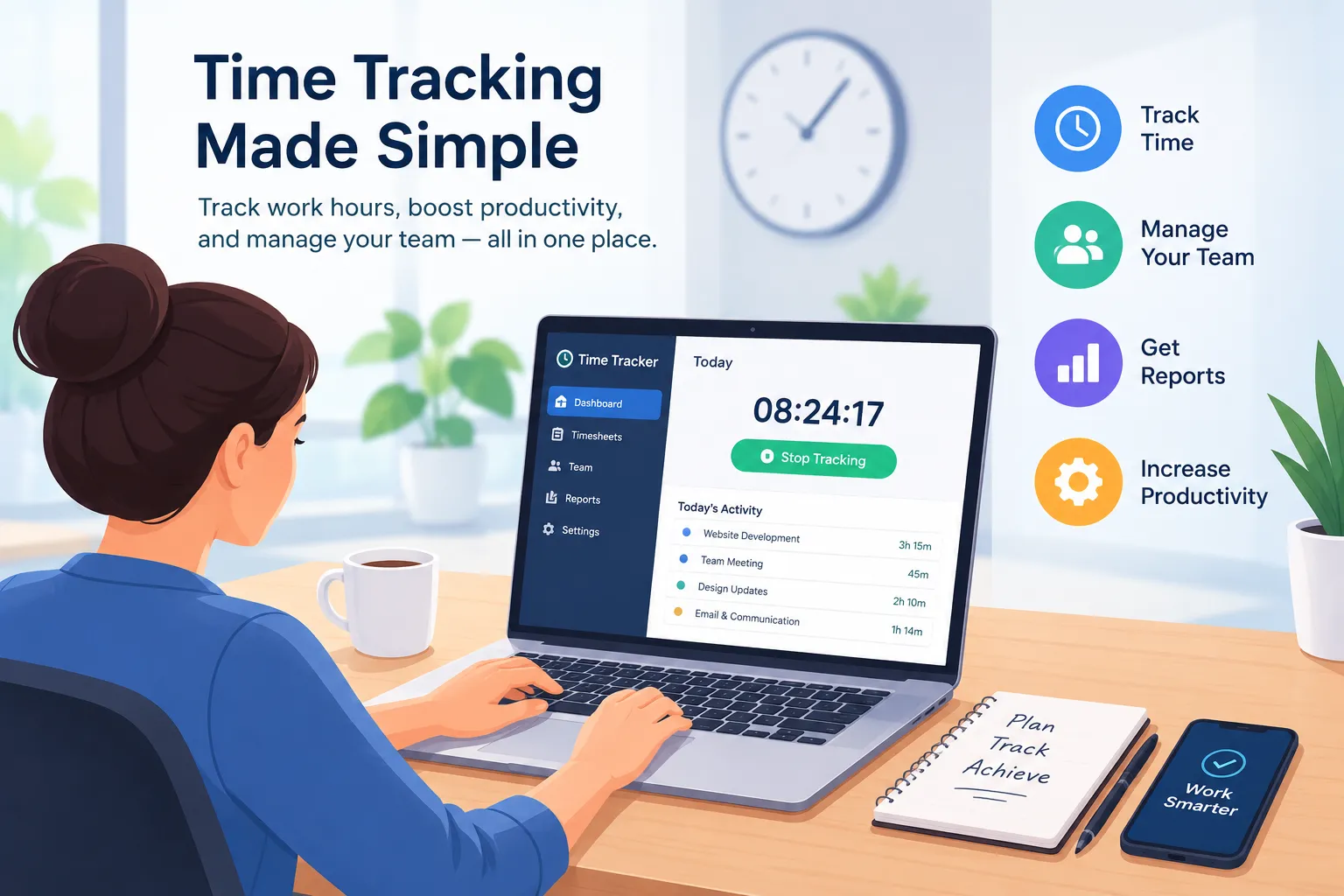
Your team uses dozens of apps and websites every working day. But do you know which tools support their work and which ones create unnecessary delays?An employee might spend three hours using a browser. That doesn't tell you whether they were researching a project, communicating with clients or visiting unrelated websites.This is where employee website monitoring can provide useful information.App and website tracking helps businesses understand how employees use digital tools during working hours. However, collecting too much information or monitoring without a clear purpose can create privacy concerns and damage employee trust.The goal shouldn't be to watch every click. It should be to understand working patterns, improve workflows and make informed decisions.This guide explains how employee app and website monitoring works, what managers should track and how to introduce monitoring responsibly.What Is Employee Website Monitoring?Employee website monitoring is the process of recording and reviewing employees' website activity during work, usually through monitoring software or company-managed systems.Depending on the technology, monitoring can show which websites employees visit, how long they spend on them and when those sites are used.For example, a marketing manager may review whether team members spend their working hours using campaign tools, research websites and project management platforms.However, a website visit alone cannot prove that an employee is productive or unproductive.A person could spend 30 minutes reading industry research without interacting with the page. Another might spend the same amount of time switching between work-related websites without completing a task.Employee website monitoring provides activity information. Managers still need context to understand what that activity means.What Is Employee App Monitoring?Employee app monitoring records which software applications employees use during their working time.This may include desktop applications, collaboration tools, design software, browsers and other work-related programmes.For example, a software development team may use:Visual Studio Code for programming.GitHub for code management.Slack for team communication.Jira for project management.Google Chrome for research and testing.App monitoring can help managers understand how these tools fit into daily workflows.When combined with website tracking, it provides a broader picture of digital activity across the working day.How Does Employee App and Website Tracking Work?Employee app and website tracking software generally records activity from a device, browser or managed network.The exact information collected depends on the software, permissions and monitoring settings.A typical system follows five steps.1. Tracking startsAn authorised work session begins2. App and website activity is detectedThe system identifies applications and websites used3. Usage information is recordedRelevant activity and duration are logged according to policy4. Reports are generatedManagers review authorised usage data and trends5. Managers interpret the findingsData is compared with tasks, outcomes and employee feedbackSome systems only record the application name or website domain. Others may collect detailed URLs, window titles, screenshots or additional device activity.These differences matter because more detailed monitoring can expose private or sensitive information.Businesses should choose the least intrusive method that meets their legitimate monitoring purpose.What Can Employee Website Monitoring Software Track?Different monitoring tools collect different types of information.Employee website monitoring software helps businesses track how employees use websites and applications during working hours. Depending on the software, it can record visited websites, application usage, time spent on different platforms, active and idle periods, and overall digital activity. Some tools also provide screenshots, detailed URL tracking and usage reports. These insights help managers understand work patterns, identify workflow interruptions and review software usage. However, monitoring should focus on relevant work activities, respect employee privacy and follow clear workplace policies.For example, a company trying to understand software licensing costs may only need aggregated app usage reports.Collecting screenshots or detailed browsing histories would be difficult to justify for that limited purpose.Why Do Businesses Monitor Employee Website Usage?Responsible employee monitoring can help businesses understand how digital tools affect their work.However, its value depends on the question managers are trying to answer.1. Understand Digital WorkflowsEmployees regularly switch between applications to complete assignments.A marketing specialist might use Google Analytics, a spreadsheet, an advertising platform and a content management system during the same task.Website and app usage reports can help managers identify frequently used tools and understand how digital work is organised.2. Identify Workflow InterruptionsUnusual activity patterns may suggest that employees are experiencing technical problems or unnecessary interruptions.For example, a team might repeatedly switch between different systems to complete a simple approval.Instead of assuming employees are distracted, managers can investigate whether the process could be improved.3. Review Software AdoptionBusinesses often pay for applications that employees rarely use.Aggregated app usage information can help managers determine whether a particular subscription still supports the team's requirements.This may inform software renewal decisions and training plans.4. Support Project PlanningApp usage data can provide additional context when combined with project time tracking.For example, managers may compare recorded project hours with the digital tools commonly used during the assignment.However, time spent in an application should not automatically be treated as time spent completing a particular project.5. Investigate Security ConcernsWebsite monitoring may help businesses identify unusual access patterns or possible violations of established acceptable-use policies.Where security is the purpose, businesses should use proportionate security controls rather than collecting unnecessary employee activity information.How to Track Employee App and Website Usage ResponsiblyIntroducing monitoring software is only one part of the process.Managers also need clear objectives, fair policies and a reliable way to interpret activity information.Step 1: Define a Legitimate Monitoring PurposeBefore collecting any activity data, identify the business problem you're trying to solve.Are you trying to understand software usage? Improve project planning? Identify workflow problems? Protect company systems?Each purpose may require a different level of monitoring.For example, reviewing whether employees use expensive software licences may only require aggregated application usage statistics.It may not require recording every website visited by individual employees.The UK's Information Commissioner's Office (ICO) advises employers to define the purpose of monitoring and use the least intrusive means appropriate to that purpose.Step 2: Explain the Monitoring Policy to EmployeesEmployees should understand what information is collected and why.Before introducing monitoring, explain the scope in straightforward language.A workplace monitoring policy should cover:Which applications and websites are tracked.When monitoring starts and stops.Whether personal browsing is excluded.Why the information is collected.Who can access employee activity reports.How long information is retained.How employees can raise concerns or correct inaccurate records.The UK's workplace advisory body, Acas, recommends consulting employees and their representatives before introducing monitoring arrangements.Open communication can help managers identify practical issues and reduce uncertainty.Step 3: Choose an Appropriate Monitoring MethodDifferent monitoring methods offer different levels of visibility.MethodWhat It MeasuresMain ConsiderationApp usage reportsApplications used and their activity durationUsually less detailed than screen captureDomain-level website trackingWebsites or domains accessedMay still reveal sensitive interestsDetailed URL trackingSpecific pages visitedGreater privacy riskScreenshot monitoringVisual content displayed on a deviceCan capture private or confidential informationNetwork security logsWebsite or service connectionsShould be restricted to defined security purposesChoose a monitoring method that matches the problem you need to solve.If aggregated application data is enough, collecting detailed browsing histories may be unnecessary.Step 4: Configure Monitoring Around Working HoursMonitoring should have a clearly defined scope.For many workplaces, this means limiting employee activity monitoring to authorised work sessions and avoiding personal activity.This is particularly important for remote employees who use personal devices or share workspaces with family members.For example, an employee who finishes work at 5 PM should not have their unrelated evening browsing collected merely because they previously used their device for work.Organisations should establish technical safeguards and operating rules that separate business monitoring from personal use wherever possible.Step 5: Categorise Applications CarefullySome monitoring systems allow businesses to classify applications or websites by category.These categories should be treated as context-dependent rather than definitive productivity ratings.A marketing employee researching video trends on YouTube may be doing valuable work. Another employee could leave a recognised work application open without completing an assignment.Managers should allow for exceptions and review classification rules regularly.Step 6: Analyse Usage Patterns Alongside Work OutcomesApp usage data becomes more useful when managers connect it with actual workplace results.For example, suppose a designer spends five hours using Figma.That information is more meaningful when the manager also knows whether the assigned designs were completed, whether revisions were required and whether deadlines were met.Managers should compare usage trends with:Completed tasks and deliverables.Project deadlines.Work quality.Reported technical issues.Employee feedback.Team workload.A high activity percentage is not proof of strong performance.Likewise, an extended period without detected computer input is not proof that an employee has stopped working.Step 7: Restrict Access to Monitoring DataNot everyone in a business needs access to individual browsing histories.Managers should only receive the information necessary for their responsibilities.For example, an HR manager might need a summary of relevant working-time information, while a project manager may only need aggregated activity trends for their team.Role-based access, secure storage and clear retention rules help reduce unnecessary exposure of employee information.Step 8: Review and Improve the Monitoring ProcessMonitoring policies should not remain unchanged indefinitely.Managers should periodically ask whether the information collected is still necessary and useful.For example, a business that initially introduced website monitoring to understand software adoption may no longer need the same level of data collection after completing that review.Regular assessments can help organisations reduce unnecessary monitoring and maintain employee trust.Employee App Monitoring vs Website Monitoring: What's the Difference?Although these methods are closely related, they focus on different aspects of digital work.App monitoring tracks the software employees use, while website monitoring focuses on their activity in web browsers.FeatureApp MonitoringWebsite MonitoringPrimary focusSoftware application usageBrowsing and website usageExampleTime spent in ExcelTime spent on Google SheetsTypical dataApp names and usage durationDomains, URLs and visit durationMain benefitUnderstand software adoptionUnderstand web-based workflowsCommon usersIT teams, operations managersTeam managers, IT and security teamsPrivacy concernMay reveal sensitive app usageMay reveal private browsing interestsFor businesses using desktop and web-based software, combining both methods may provide broader visibility.However, combining monitoring methods also increases the volume of personal information collected. Employers should assess whether that additional collection is necessary.Real-Life Example: Monitoring a Remote Marketing TeamImagine a marketing agency with six remote employees.The team uses several applications for content creation, research, communication and campaign management.The manager wants to understand why projects regularly exceed their estimated working hours.Rather than introducing constant screen surveillance, the company reviews work-related app and website usage alongside project time records.These records show where the employee's detected digital activity was distributed.But they don't establish whether seven hours of valuable work were completed.The manager also reviews assigned tasks and project deadlines. They discover that employees frequently switch between communication tools while waiting for content approvals.Instead of treating the app usage report as a productivity ranking, the manager improves the approval process.This is a more constructive use of employee monitoring data.Is Employee Website Monitoring Legal?Employee website monitoring can be lawful in the UK, but employers must comply with applicable data protection and employment law.The ICO's guidance on monitoring workers explains that organisations must ensure monitoring is lawful, fair, transparent, necessary and proportionate.UK GDPR and Employee MonitoringWhere monitoring involves personal data, employers need to identify an appropriate lawful basis under the UK GDPR.Legitimate interests may be appropriate in some circumstances, but employers must assess necessity and balance their interests against employees' rights. It is not an automatic justification.Employee consent can also be problematic as a lawful basis because the employer-employee relationship may prevent consent from being freely given.Data Protection Impact AssessmentsA Data Protection Impact Assessment (DPIA) helps organisations identify and reduce privacy risks before introducing monitoring.A DPIA is required when processing is likely to result in a high risk to individuals' rights and freedoms.Even where one is not mandatory, the ICO recommends using the DPIA process to assess monitoring risks.Monitoring Personal DevicesEmployers should take particular care when employees use their own devices.Personal browsing, private conversations and information about other household members should not be captured unnecessarily.A company should consider whether monitoring can be limited to managed work environments instead.Employee Privacy RightsEmployees retain privacy and data protection rights at work, including when working remotely.Businesses should provide meaningful information about monitoring, use appropriate safeguards and allow employees to exercise their applicable data protection rights.For further guidance, read the ICO guidance on data protection and monitoring workers.This section provides general information, not legal advice. Requirements vary by jurisdiction and monitoring arrangement.Best Practices for Responsible Employee Website MonitoringResponsible monitoring requires more than installing software. It involves decisions about the information collected, the people who can access it and how findings are used.Here are eight practical principles managers should follow.Responsible monitoring checklistUse this checklist to assess your organisation's monitoring arrangements before introducing or expanding tracking.Preparation completed0 of 8Define a specific, documented business purposeConsult employees and explain the monitoring policyIdentify a lawful basis and assess privacy risksCollect only the information genuinely neededExclude private activity wherever possibleRestrict access and establish retention periodsReview activity alongside work outcomes and contextReassess the monitoring process regularlyCompleting this checklist does not itself establish legal compliance, but it provides a useful starting point for reviewing a proposed monitoring system.Common Employee Monitoring Mistakes to AvoidMonitoring Without Explaining WhyEmployees may become concerned if they discover that their browsing activity is being recorded without a clear explanation.Managers should communicate the monitoring purpose and scope before introducing it, except in very limited circumstances where lawful covert monitoring is justified.Treating All Non-Work Websites as DistractionsA website's category doesn't always explain why an employee visited it.For example, a recruiter may use social media for candidate research. A marketing professional may watch videos to analyse competitors.Managers should consider job responsibilities before judging website activity.Collecting More Information Than NecessaryDetailed URL histories, screenshots and other sensitive activity records can increase privacy risks.If a business only needs to understand how much a software tool is used, collecting browsing content may be excessive.Using Activity Data as the Only Performance MetricComputer activity does not measure creativity, problem-solving, customer satisfaction or work quality.Managers should assess employee performance using relevant outcomes rather than relying exclusively on digital activity reports.Ignoring Employee FeedbackAn employee may have a reasonable explanation for an unusual usage pattern.For example, they may have been researching a customer issue, troubleshooting software or completing training.Discussing the findings can help prevent inaccurate conclusions.How Staff Time Tracker Supports App and Website MonitoringManagers often need a way to understand digital work patterns without switching between several disconnected tools.Staff Time Tracker combines app and URL monitoring with time tracking, employee activity records and workforce reporting.According to its published features, the platform supports app and website usage tracking, productivity insights, configurable activity monitoring and optional screenshots.Review Application and Website UsageStaff Time Tracker provides visibility into applications and websites used during tracked working time.These records can help managers understand digital workflows and identify usage patterns that warrant further review.Combine Usage Data With Time RecordsApp and website activity can be reviewed alongside employee time tracking records.This helps managers consider how digital activity relates to recorded work sessions rather than relying on isolated usage figures.Understand Inactivity PatternsThe platform also includes idle time tracking.Managers can identify periods without detected input and investigate whether those periods relate to offline work, technical interruptions or other circumstances.Access Workforce AnalyticsThrough workforce analytics, businesses can review time records, activity patterns and broader workforce information.These reports can help managers identify recurring issues and make more informed operational decisions.Configure Monitoring to Match Team PoliciesStaff Time Tracker describes flexible monitoring settings, including adjustable activity tracking and optional screenshots.Organisations should select settings that match their legitimate business purposes and data protection responsibilities.The technology provides monitoring capabilities, but employers remain responsible for using them lawfully and fairly.Explore Staff Time Tracker's app and URL tracking features to learn how the platform supports digital workplace visibility.Frequently Asked Questions1. What is employee website monitoring?Employee website monitoring is the process of recording and reviewing employees' website usage during work. Depending on the software, employers may see visited domains, activity duration and usage patterns. Responsible monitoring should have a clear purpose and appropriate privacy safeguards.2. Can employers track websites employees visit?Yes, employers may be able to track websites visited on managed devices or networks. However, they must comply with applicable laws, establish a legitimate purpose and provide appropriate information about monitoring. The level of tracking should be necessary and proportionate.3. Can employee monitoring software track applications?Yes. Many employee monitoring platforms record application usage, including software names and activity duration. Managers can use this information to understand digital workflows and review which applications support daily work.4. Is employee website monitoring legal in the UK?Employee website monitoring can be legal in the UK when it complies with data protection and employment requirements. Employers must identify an appropriate lawful basis, provide transparency and avoid unnecessary or disproportionate monitoring.5. Can employers monitor employees working from home?Yes, employers may monitor remote employees for legitimate purposes, subject to applicable legal requirements. However, monitoring should respect employees' privacy, particularly when they use personal devices or work from home.6. Does website monitoring measure employee productivity?Website monitoring provides information about browsing activity, not a complete measurement of productivity. Managers should consider completed tasks, project outcomes, work quality and employee feedback before evaluating performance.7. What is the difference between app tracking and URL tracking?App tracking records which software applications employees use. URL tracking focuses on websites or web pages accessed through browsers. Both can help managers understand digital activity, but they collect different types of information.8. How can businesses monitor website usage without micromanaging employees?Businesses can focus on aggregated trends, use limited monitoring settings, explain their policies and review activity alongside work outcomes. Managers should avoid unnecessary data collection and give employees opportunities to explain unusual patterns.Final ThoughtsEmployee website monitoring can help businesses understand digital workflows, review software usage and identify operational problems.However, more data doesn't automatically lead to better management.An employee who spends hours using work applications isn't necessarily productive. Similarly, someone visiting a research website or spending time away from their keyboard isn't automatically wasting time.


o
olive ball
Oct 24, 2026 • 17 Reads

Key Benefits of Internal Audit Services Dubai for Growing Companies

Growing businesses need reliable financial systems, effective risk management, and clear operational procedures. internal audit services dubai help companies evaluate their internal processes, identify weaknesses, and improve overall performance. By reviewing business activities regularly, organizations can strengthen accountability and make better decisions for long-term success.How Internal Audits Support Business GrowthAs businesses expand, managing financial records, employees, and daily operations becomes more complex. Internal audits help management understand whether existing procedures are working effectively. They also highlight areas where improvements are needed to reduce errors and control unnecessary expenses.A structured audit process provides useful information about financial performance, operational risks, and internal policies. This enables business owners to address challenges before they affect productivity or profitability.Important Advantages of Internal AuditingProfessional internal auditing can support business growth in several ways:Stronger financial controls: Helps businesses maintain accurate records and monitor transactions.Improved productivity: Highlights inefficient activities and opportunities to optimize resources.Better accountability: Encourages employees and departments to follow established policies.These advantages help organizations develop more dependable processes while maintaining better oversight of business activities.Choosing the Right Internal Audit ProviderSelecting an appropriate audit provider is important for achieving meaningful results. Businesses should assess the provider's experience, professional expertise, understanding of industry requirements, and ability to communicate findings clearly.A suitable audit approach should reflect the company's size, operational structure, and specific objectives. Businesses should also look for practical recommendations that can be implemented to improve internal controls and efficiency.Regular communication between management and auditors helps ensure that identified issues receive appropriate attention and corrective actions are monitored.Frequently Asked Questions1. Why do growing businesses need internal audits?Internal audits help growing businesses identify risks, improve financial controls, and maintain efficient operations as their activities expand.2. What areas can an internal audit cover?An internal audit may examine financial procedures, operational activities, internal controls, risk management, and compliance with company policies.3. Can internal audits reduce business costs?Yes, internal audits can identify unnecessary expenses, inefficient processes, and control weaknesses that may increase operating costs.ConclusionInternal auditing is an important part of responsible business management. It helps companies strengthen controls, identify risks, and improve operational efficiency. To understand how your business can benefit from tailored audit solutions, Contact us to discuss your requirements.

P
Prime8
Oct 21, 2026 • 27 Reads

Grow Your Online Business with a Results-Driven ecommerce seo agency

Growing an online store requires more than offering quality products and competitive prices. Businesses must also make their products easy to discover through search engines and provide a smooth shopping experience. A professional ecommerce seo company can help online retailers improve organic visibility, attract relevant visitors, and create more opportunities to convert shoppers into customers through effective search engine optimization.What Does an Ecommerce SEO Agency Do?An ecommerce SEO agency specializes in improving the search performance of online stores. Its services may include keyword research, product page optimization, technical SEO, category page improvements, content development, and internal linking. These activities help search engines understand a website and connect shoppers with products that match their needs.Benefits of Working with an Ecommerce SEO Agency1. Improve Product VisibilityCustomers frequently search online to compare products, explore features, and find suitable options. SEO specialists optimize product titles, descriptions, headings, and metadata to help online stores target relevant searches and improve their chances of appearing in search results.2. Attract Qualified Website TrafficNot every visitor is interested in purchasing your products. An effective SEO strategy targets relevant keywords and search intent to attract people who are actively researching or looking for items your store offers. Relevant traffic can create more opportunities for engagement and sales.3. Enhance the Shopping ExperienceA confusing or slow website can discourage potential customers. An ecommerce SEO agency can identify problems involving navigation, mobile usability, broken links, and page speed. Fixing these issues makes it easier for shoppers to browse products and find important information.4. Optimize Product and Category PagesWell-organized product pages help customers understand product features, benefits, prices, and specifications. SEO professionals improve page content, image alt text, internal links, and headings to make information clearer for visitors and search engines.5. Support Sustainable Business GrowthOrganic SEO can become a valuable source of website traffic over time. Regular optimization, useful content, and performance monitoring help businesses adapt to changing search behavior. Although results are not guaranteed, a consistent strategy can support long-term online growth.How to Choose the Right AgencyBefore hiring an agency, review its experience, previous projects, reporting process, and understanding of your industry. Choose a team that communicates clearly, follows ethical SEO practices, and measures progress using relevant metrics such as organic traffic, conversions, and revenue.Frequently Asked Questions1. How long does ecommerce SEO take?SEO results vary, but meaningful improvements often require several months of consistent work.2. Can an ecommerce SEO agency increase sales?It can improve product visibility and attract relevant shoppers, creating more opportunities for sales.3. Is ecommerce SEO suitable for small businesses?Yes. Small stores can target specific products and niche keywords to reach relevant customers.ConclusionA results-driven ecommerce SEO strategy can help online businesses improve visibility, attract potential buyers, and deliver a better shopping experience. Consistent optimization and performance analysis support sustainable growth. Contact Us today to explore SEO solutions tailored to your online store.

P
Prime8
Oct 21, 2026 • 55 Reads

How to Review a Child's App List Without Turning It Into an Interrogation

There is a useful middle ground between doing nothing and controlling every tap. It begins with a visible, limited rule tied to a specific concern. In this case, the concern is understanding an unfamiliar app without assuming that installation proves use or wrongdoing, and the family should be able to explain the rule in one sentence.A search for review child's apps together usually begins with a symptom: a rule did not apply, a report looks wrong, or access changed unexpectedly. Do not respond by flipping every related switch. Installed, opened, active, permitted, and purchased are different facts. A focused diagnosis preserves necessary access and creates a test support can repeat.Describe what happened without assigning blameWrite the event as a short timeline: which child's Android phone was involved, which account was signed in, what the family expected, what appeared instead, and when the device last connected. Treat apparent circumvention as one hypothesis among several technical explanations.A screenshot of the message and the visible software name is more useful than a paraphrase. Give support the minimum technical context; keep credentials and unrelated child communications private. Troubleshooting should not depend on suppressing protections or disguising software.Separate adjacent featuresMarketing categories are wide; a reproducible fault must be narrow. Installed, opened, active, permitted, and purchased are different facts. Identify one function and document the exact route used to test it. Browser coverage must be checked separately; one passing path is not universal coverage. Presence in an inventory establishes installation, not active use. Recorded duration is not the same as attentive engagement.Check current guidance before assuming intentFederal Trade Commission, How To Use Parental Controls To Keep Your Kid Safer Online states: The FTC advises setting controls on every device a child uses and revisiting them as the child matures. It is a reference point rather than a verdict, and its date, sample, and limits should travel with the number.Federal Trade Commission, Protecting Your Child's Privacy Online states: COPPA gives parents rights over personal information collected online from children under 13 by covered services. It is a reference point rather than a verdict, and its date, sample, and limits should travel with the number.Use the facts to build possible explanations, never to skip the child's account of events. Documentation describes intended operation and surveys summarize groups; an individual incident still needs direct verification.Work through a safe diagnostic sequenceFirst, pause before confronting the child. Run this from the real child profile because a parent or administrator account may behave differently.Next, record the exact name and icon. An effective boundary should not make homework or safety collateral damage.Then, check the publisher and store listing. Describe the boundary before it appears so an expected restriction does not feel like a trap.After that, look at requested permissions. A reproducible record should identify hardware, software, user, network state, and time.Before enforcement, ask how the app is used. A contained trial makes side effects visible and leaves a clean path back.During the trial, separate installation from activity. Ask the child to point out a false positive or necessary exception without treating the request as resistance.At the family check-in, remove only with a recovery plan. The final test is usefulness in daily life, not whether the switch stayed on.Finally, recheck the inventory after sync. Define the visible outcome in advance; otherwise almost any change can be mistaken for success.Reproduce the issue with a harmless exampleWhen the basic checks are complete, compare the app name, icon, publisher, permissions, store listing, and device record before discussing it. The check should be visible, limited, and easy to undo. Record what happens before and after restart and sync. Close the issue only after both the broken case and the protected case behave correctly.A useful test has a control case. Test an allowed school or safety path beside the blocked or reported case. Testing both sides catches collateral damage and locates the problem more precisely.Decide whether the answer is technical or relationalNot every conflict is a software failure; sometimes the boundary itself needs discussion. The answer is a conversation, not a wider technical grant. A relationship review should cover clarity, exceptions, and the continuing purpose of the rule. The dashboard may not recognize a legitimate learning, social, creative, or access need.An inventory may lag, omit system components, show renamed packages, or include apps the child never actively uses. When the facts suggest imminent danger or abuse, prioritize safety, evidence preservation, and qualified assistance. Preserve what is safe to preserve and avoid opening harmful or unknown content.Close the loopName a cause only after the test actually distinguishes it from the alternatives. A useful closeout names what changed, what the test showed, and who reviews it next. The feature and platform guide can clarify the intended capability and boundaries, but current device and account evidence should decide the case.The practical win is clarity: what failed, what still works, and how another person can see the same response. A modest, documented solution is stronger than a sweeping claim.A wider evidence pointNCMEC recorded 1.4 million CyberTipline reports concerning online enticement in 2025, including more than 80,000 reports concerning sextortion. NCMEC cautions that reports are not a count of unique children or confirmed incidents.When to review the plan againFinally, ask whether the plan is teaching a skill. Protection matters now, but the long-term aim is judgment: noticing manipulation, protecting an account, leaving harmful content, and asking a trusted adult for help. Keep installed-app inventory connected to that larger purpose.A final check should return to the original question: did this approach make understanding an unfamiliar app without assuming that installation proves use or wrongdoing easier to manage without disrupting essential access or honest conversation? If the answer is unclear, extend the observation period rather than expanding the control.

c
clark blarke
Oct 16, 2026 • 39 Reads

How to Choose the Right PPC Management Services for Business Growth

In today’s competitive digital marketplace, paid advertising helps businesses connect with potential customers, increase website traffic, and generate qualified leads. However, running successful campaigns requires careful planning, continuous optimization, and a clear understanding of audience behavior. Professional PPC management services help businesses make better use of their advertising budgets while working toward measurable marketing goals.White Label Rank provides digital marketing support designed to help agencies and businesses strengthen their online advertising strategies. With a focus on campaign performance, strategic planning, and ongoing improvements, businesses can build advertising campaigns that align with their objectives.What Are PPC Management Services?Pay-per-click (PPC) advertising is a digital marketing model in which advertisers pay when users click on their ads. These campaigns commonly appear on search engines, websites, and digital advertising platforms. PPC can help businesses reach people who are actively searching for relevant products or services.Professional PPC management services include keyword research, audience targeting, ad creation, campaign setup, budget management, and performance monitoring. These activities help advertisers identify opportunities and improve the effectiveness of their campaigns over time.Benefits of Working With Google Ads SpecialistsGoogle Ads is a widely used platform for reaching audiences through search results and other advertising placements. Working with experienced Google Ads specialists can help businesses structure campaigns, select relevant keywords, and develop advertisements that match user intent.A well-managed campaign focuses on more than clicks. It also considers conversion rates, cost per acquisition, lead quality, and return on advertising spend. By monitoring these metrics, advertisers can identify which campaigns contribute most effectively to their business goals.Building an Effective PPC Campaign StrategyA successful PPC campaign starts with a clear strategy. Businesses should define their target audience, establish realistic objectives, and determine how much they can invest in advertising.Keyword research is another essential step. Selecting relevant search terms helps businesses connect with potential customers while reducing unnecessary spending on irrelevant clicks. A professional search advertising agency can help organize keywords into focused ad groups and develop messaging that reflects the needs of different audiences.Landing pages also play an important role. When visitors click an advertisement, they should arrive at a relevant page with useful information and a clear next step. Improving page relevance, loading speed, and calls to action can support a better user experience.Why Paid Media Management MattersPaid media management involves monitoring and improving advertising campaigns across suitable digital channels. Rather than launching advertisements and leaving them unchanged, marketers review performance data to discover what works and where improvements are needed.PPC optimization services may include adjusting keyword bids, refining audience targeting, testing ad variations, reviewing search terms, and reallocating budgets toward stronger-performing campaigns. Regular optimization helps businesses respond to changing market conditions and advertising performance.Measuring Results With Data-Driven AdvertisingEffective online advertising experts use performance data to guide decisions. Metrics such as click-through rate, conversion rate, cost per lead, and return on ad spend provide valuable insights into campaign effectiveness.Businesses should evaluate these indicators in relation to their actual objectives. For example, a campaign focused on lead generation may prioritize qualified inquiries rather than website traffic alone. Establishing accurate conversion tracking makes it easier to understand campaign results and identify opportunities for improvement.PPC Growth Opportunities for Digital Marketing AgenciesMarketing agencies often need to manage multiple clients while maintaining consistent service quality. Partnering with a reliable PPC growth agency or white label provider can help agencies expand their advertising services without building every capability internally.White-label PPC support allows agencies to offer campaign management under their own brand while focusing on client relationships, strategy, and business development. The right partnership should provide clear communication, dependable processes, and reporting that helps agencies demonstrate campaign progress to clients.How to Choose the Right PPC PartnerBefore selecting a PPC management provider, consider its experience, campaign management process, reporting standards, and communication practices. Ask how it approaches keyword research, budget allocation, conversion tracking, and ongoing optimization.It is also important to choose a provider that understands your business objectives. A strong PPC strategy should reflect your target audience, industry, competition, and available budget rather than relying on a one-size-fits-all approach.ConclusionPPC advertising can be a valuable part of a business's digital marketing strategy when campaigns are carefully planned, monitored, and improved. From working with Google Ads specialists to investing in ongoing PPC optimization services, businesses can make more informed decisions about their advertising efforts.White Label Rank supports agencies looking to strengthen their digital marketing offerings with professional marketing fulfillment solutions. Explore its PPC services to learn how strategic campaign support can fit your agency's goals and client needs.

w
white label rank
Oct 12, 2026 • 45 Reads

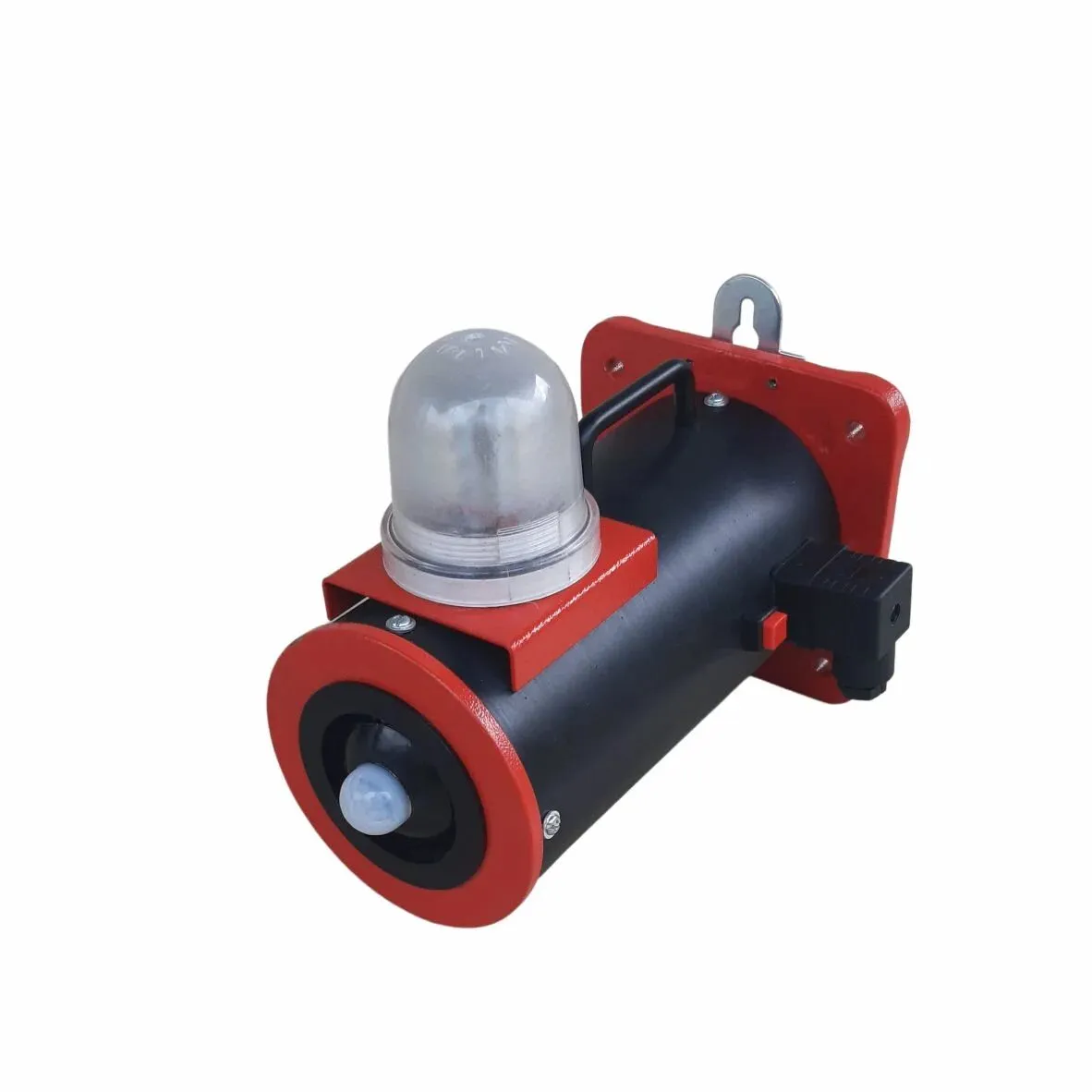
Sounder Strobe for Control Panel: Key Considerations for Effective Industrial Alarm Planning

Industrial equipment often operates through a combination of electrical controls, automated sequences, sensors, and monitoring systems. When something goes outside its expected operating range, workers need a clear way to recognize the condition and determine what action is necessary. A well-designed alarm arrangement helps communicate these changes without requiring operators to watch every machine continuously.A sounder strobe for control panel installations combines an audible warning with a flashing visual signal. This arrangement can help attract attention in busy workplaces where machinery noise, multiple processes, and competing tasks may make individual indicators easier to overlook.However, an effective warning system involves more than installing an alarm device. Understanding the application, choosing suitable specifications, and planning how people respond to alerts are equally important.Why Industrial Control Panels Need Clear Warning SignalsControl panels provide a central point for managing electrical equipment and automated processes. Operators may use them to monitor machine status, review faults, and control different stages of production.When an abnormal condition occurs, an alarm can help distinguish it from routine operating information. For example, a motor protection relay may detect an overload, a sensor may identify an unexpected process value, or a controller may register a machine stoppage.An audible signal can notify personnel who are not looking at the panel, while a flashing light provides a visual indication of the alert. Together, these signals can improve awareness when the device is appropriately positioned and configured.The warning itself does not establish the cause of a problem. Operators still need to consult the control system, follow the appropriate procedure, and determine whether the equipment can safely resume operation.How Sound and Light Work TogetherAudible and visual signals address different challenges in the workplace.Audible notification helps attract attention when personnel are working away from a control panel or concentrating on another task. Its effectiveness depends on background noise, distance, and the hearing conditions of the intended audience.Visual notification provides a flashing indication that can be noticed within the relevant viewing area. Its effectiveness depends on lighting conditions, mounting position, viewing angle, and obstructions.Using both methods creates an additional opportunity for an alert to be recognized. Nevertheless, a warning device should be selected and positioned according to the actual environment. A signal that works well in a quiet electrical room may not be sufficient on a noisy production floor.Applications in Modern Industrial Facilities1. Machine status monitoringManufacturing equipment may stop because of a detected fault, an interrupted sequence, or a protective device operating. A warning signal can direct the operator's attention toward the affected machine and its control interface.2. Electrical distribution systemsControl cabinets may include relays and monitoring components that detect electrical abnormalities. Where the system design calls for an external warning, a sounder and flashing indicator can communicate that an alarm condition has occurred.3. Process monitoringFacilities that manage temperature, pressure, fluid levels, or other process variables may use sensors connected to an alarm controller. When a defined limit is exceeded, the system can activate a suitable signaling device.4. Utility and pump installationsPumps, motors, and associated control equipment may require alerts for operational interruptions or conditions identified by monitoring circuits. The warning helps notify personnel who can then investigate the reported issue.In each application, the alarm should correspond to a clearly defined condition. Unclear or excessive alerts can make it harder for operators to distinguish important warnings from routine events.Choosing the Right Environmental ProtectionThe location of an alarm can influence which enclosure rating is appropriate. Indoor electrical rooms, dusty production areas, and outdoor installations can present very different environmental challenges.An IP 66 sounder is designed to provide complete protection against dust and protection against powerful water jets under specified test conditions. This rating can be relevant in suitable industrial environments where airborne dust or water exposure needs to be considered.It does not, however, guarantee suitability for every application. Chemical contact, immersion, extreme temperatures, and other special conditions may require additional verification. Buyers should review the manufacturer's documentation and confirm that the complete installation meets the site's requirements.Cable entries, mounting methods, connectors, and enclosure closures should also be installed according to the manufacturer's instructions to maintain the intended level of protection.Important Specifications to Review Before BuyingSelecting a warning device becomes easier when requirements are established before comparing available models.Operating voltage: Confirm the supply type and voltage required by the control circuit.Sound output: Evaluate whether the signal can be recognized under normal working noise conditions.Light visibility: Check the visibility of the flashing indicator from relevant operator positions.Enclosure rating: Match environmental protection to the location where the unit will be installed.Mounting requirements: Confirm that the available space and mounting arrangement suit the device.Control compatibility: Check relay outputs, switching arrangements, connections, and alarm activation requirements.Operating limits: Review the specified temperature range and other environmental restrictions.Maintenance access: Consider whether the device can be inspected and tested conveniently.These factors should be assessed together. A device with the correct voltage may still be unsuitable if its sound cannot be recognized or its enclosure does not meet the installation conditions.What Is the Difference Between a Combined Alarm and Separate Indicators?A combined sounder strobe places the audible and visual outputs within one unit. This arrangement can simplify installation when both signals are required in the same area.Separate devices can provide greater flexibility when sound must cover a wider area but the visual indicator needs to be located close to a particular machine or panel. Separate components may also suit systems that require independent control of different warning signals.The decision depends on the layout, alarm logic, available mounting space, wiring requirements, and maintenance strategy. For important safety-related functions, the designer should consider possible component failures and ensure that required protective measures remain effective.Installation and Maintenance for Consistent PerformanceCorrect installation helps ensure that the warning can be recognized when it is needed. The device should be positioned with consideration for workers' normal locations, background noise, lighting, and possible obstructions.Electrical connections must follow the specified wiring arrangement, and the alarm should be linked to the intended control condition. Operators should also understand what each signal means and which procedure applies when it activates.Routine maintenance should include:Inspecting the enclosure and mounting for visible damage.Checking wiring and connections for deterioration.Testing the audible and visual outputs according to the manufacturer's instructions.Verifying that the connected control circuit activates the correct alarm.Recording faults, inspections, and corrective actions.A device may function correctly during a manual test while the connected sensor or relay fails to trigger it as expected. Testing the complete alarm arrangement helps identify problems that would otherwise remain unnoticed.Frequently Asked QuestionsWhat is the main purpose of a sounder strobe for control panel installations?Its purpose is to communicate an alarm through sound and flashing light, helping operators notice a monitored fault or abnormal condition.Can a sounder strobe be used in outdoor locations?Some models may be suitable for outdoor use, but suitability depends on their specifications, environmental rating, temperature limits, and installation requirements. The manufacturer's documentation should be checked before selection.Does IP66 protection mean a device is waterproof in every situation?No. IP66 covers specified dust and water-jet protection tests. It does not automatically establish suitability for immersion, chemicals, or every harsh environment.How do I determine whether the sound level is sufficient?Consider background noise, the distance between the device and personnel, and the need for the alarm to be clearly distinguishable. Follow applicable workplace requirements and the manufacturer's specifications.Should audible and visual alarms always activate together?Not necessarily. The required operation depends on the alarm function and control-system design. Some applications benefit from simultaneous signals, while others need independently controlled outputs.ConclusionAn effective industrial warning arrangement helps operators recognize abnormal conditions and respond according to established procedures. A sounder strobe for control panel applications offers a practical combination of audible and visual notification, but its performance depends on appropriate specifications, correct installation, and regular testing.Environmental conditions also deserve attention when selecting equipment. An IP66 sounder may be appropriate for certain dust- and water-jet-exposed locations, provided the complete product specification matches the intended use.For further technical reference, visit the IP66 audio warning alarms. Compare the available information with your control circuit, working environment, and alarm requirements before choosing a device.

m
mimic products
Oct 12, 2026 • 31 Reads

Ai Search Monitoring Tools

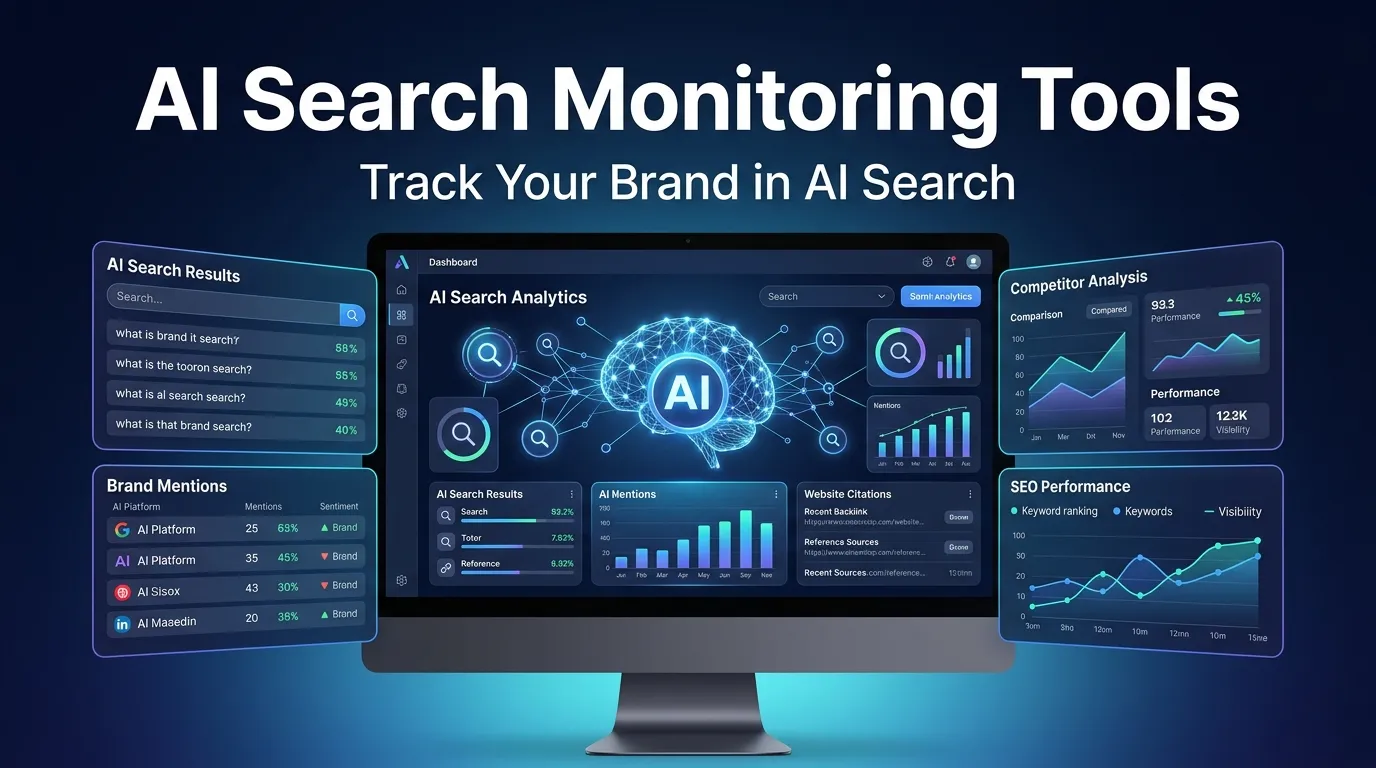
Artificial intelligence is changing how people discover information online. Today, users are increasingly turning to AI-powered search platforms to find answers, compare products, and discover businesses. This shift has created a new challenge for website owners: understanding whether their brands appear in AI-generated answers.AI search monitoring tools help businesses track brand mentions, website citations, competitor visibility, and performance across AI-powered search experiences. These insights can help marketers improve their content strategies and strengthen their online presence.At Ainexttop, we explore AI technologies, SEO strategies, and digital marketing tools that help businesses adapt to the evolving world of online search.What Are AI Search Monitoring Tools?AI search monitoring tools are software platforms that help businesses understand how their brands and websites appear in AI-generated responses. Depending on the platform, they can monitor brand mentions, cited URLs, competitor recommendations, and visibility trends.For example, if someone asks an AI search platform to recommend the best SEO tools, a business can use monitoring software to investigate whether its brand appears in the response.Unlike traditional SEO tools that primarily focus on keyword rankings and organic traffic, AI monitoring platforms can provide additional insights into how brands are represented in conversational search results.Why Are AI Search Monitoring Tools Important?Traditional search engine rankings remain important, but AI-powered search introduces additional ways for users to discover brands. A website might receive valuable exposure through an AI-generated answer even when a user does not click a traditional search result.AI search monitoring tools help businesses understand these opportunities and identify areas that need improvement.Key benefits include:Tracking brand mentions across supported AI platforms.Monitoring website citations and linked sources.Comparing brand visibility with competitors.Identifying content gaps and relevant search topics.Measuring changes in AI search presence over time.These insights can support a broader SEO strategy and help businesses make more informed content decisions.Best AI Search Monitoring Tools to ConsiderSeveral platforms offer features for monitoring AI search visibility. The right choice depends on your budget, business size, and marketing goals.1. ProfoundProfound focuses on AI search visibility and brand performance across AI-powered answer experiences. It can help marketing teams understand how their brands appear in AI responses and investigate opportunities to improve their presence.2. Peec AIPeec AI provides AI search analytics designed to help businesses monitor brand visibility and analyze how they appear in AI-generated answers. It may be useful for marketing teams that want structured reporting and competitor insights.3. Otterly.AIOtterly.AI offers AI search monitoring features for tracking brand mentions and website citations. Businesses can use these insights to understand how their content appears across supported AI search experiences.4. SemrushSemrush is a well-known digital marketing platform with traditional SEO, competitive research, and AI-related visibility capabilities. It can be useful for businesses that want to connect AI search insights with a wider SEO workflow.5. AhrefsAhrefs provides SEO research, backlink analysis, and competitive analysis tools. Its broader SEO capabilities can complement an AI search monitoring strategy by helping businesses evaluate their content and website authority.Important: Features, supported AI platforms, and subscription prices can change. Check each provider's current offering before choosing a tool.How to Choose the Right AI Search Monitoring ToolSelecting the right platform requires understanding what your business needs to measure.First, check which AI search platforms the software supports. Next, review whether it tracks brand mentions, citations, competitor visibility, and historical performance.Small businesses may prefer affordable tools with simple dashboards, while SEO agencies may need multiple projects, advanced reports, and client-level comparisons.Also consider data accuracy, reporting frequency, ease of use, and subscription costs. Since AI answers can vary by prompt, location, and time, treat visibility metrics as indicators rather than perfect measurements of every user's experience.How to Improve Your AI Search VisibilityUsing AI search monitoring tools is only the first step. Businesses must also create helpful content that directly answers users' questions.Start by publishing accurate, well-structured articles with descriptive headings and concise explanations. Add relevant facts, practical examples, and frequently asked questions where appropriate.Keep your business information consistent across reputable websites, strengthen internal linking, and maintain a technically accessible website. Earn genuine mentions and references from relevant sources instead of relying on manipulative link-building tactics.Review your monitoring reports regularly to identify topics where competitors receive visibility but your brand does not. Use these findings to improve existing pages and develop genuinely useful new content.Frequently Asked QuestionsWhat are AI search monitoring tools used for?They help businesses track brand mentions, website citations, competitor presence, and visibility trends in supported AI-powered search experiences.Are AI search monitoring tools useful for small businesses?Yes. They can help small businesses understand their online visibility, discover content opportunities, and compete more strategically. The best option depends on the available budget and required features.Can AI search monitoring tools improve Google rankings?Not directly. These tools provide monitoring and analytical insights rather than automatically improving rankings. Businesses must use those insights to support effective content creation and SEO practices.ConclusionAI search monitoring tools are becoming useful resources for businesses that want to understand how their brands appear in AI-generated answers. By tracking mentions, citations, competitor visibility, and performance trends, marketers can identify opportunities to strengthen their online presence.Combining AI search monitoring with helpful content, technical SEO, and reliable brand information can create a stronger digital marketing strategy.Visit Ainexttop for more insights into artificial intelligence, SEO tools, AI search visibility, and emerging technologies that are transforming the digital world.

A
Ainext Top
Oct 09, 2026 • 34 Reads

How Generative AI Consulting Helps Businesses Achieve Smarter Growth

Artificial intelligence is changing how businesses operate, solve problems, and serve customers. From automating routine tasks to improving decision-making, AI offers opportunities for organizations to become more efficient and competitive. However, adopting AI successfully requires more than choosing a technology. Businesses need a clear strategy, careful planning, and the right implementation approach.This is where generative AI consulting becomes valuable. With professional guidance, organizations can identify useful AI applications, evaluate their readiness, and develop solutions that align with their long-term objectives.Understanding the Value of AI Strategy ConsultingEvery business has different goals, challenges, and operational requirements. An effective AI strategy begins by understanding these factors before selecting suitable technologies.AI strategy consulting helps organizations identify where artificial intelligence can deliver meaningful results. This may include improving customer support, streamlining internal processes, analyzing business information, or developing intelligent digital products.A well-defined strategy also helps businesses prioritize projects based on potential value, implementation costs, available resources, and technical requirements. Instead of investing in disconnected tools, organizations can follow a structured roadmap that supports sustainable growth.How Generative AI Advisors Support InnovationGenerative AI can assist businesses with content creation, information analysis, software development, customer communication, and knowledge management. However, identifying the right applications can be challenging without specialized knowledge.Experienced generative AI advisors help businesses understand these opportunities and determine which applications are suitable for their needs. They can evaluate potential use cases, recommend appropriate approaches, and help organizations understand the benefits and limitations of different AI technologies.This guidance enables companies to explore innovation while remaining focused on practical business outcomes.The Importance of AI Readiness AssessmentBefore implementing artificial intelligence, businesses should understand whether their existing systems and processes can support it.An AI readiness assessment evaluates important factors such as data quality, infrastructure, security requirements, employee capabilities, and organizational objectives. It helps identify potential challenges before they become costly problems.For example, a company interested in introducing an AI-powered customer service assistant may need to review its existing knowledge base, customer support workflows, privacy policies, and integration requirements.Understanding these factors early helps businesses prepare effectively and make informed investment decisions.Creating an Effective AI Deployment StrategySuccessful AI adoption requires a clear implementation plan. An AI deployment strategy outlines how a solution will move from initial planning to development, testing, integration, and ongoing improvement.AI implementation experts can help organizations establish realistic milestones, define project responsibilities, and identify appropriate performance indicators.A structured deployment process may include:Identifying business problems that AI can address.Selecting appropriate AI technologies and platforms.Preparing relevant data and existing systems.Testing solutions before broader implementation.Training employees to use new tools effectively.Monitoring performance and improving results over time.Following these steps helps businesses reduce unnecessary complexity and create a more reliable foundation for AI adoption.Why Businesses Need an AI Consulting PartnerImplementing AI without a clear plan can result in wasted resources, poor integration, and solutions that fail to address actual business needs.An experienced AI consulting partner helps connect technology decisions with business priorities. By understanding operational challenges and long-term objectives, consultants can recommend approaches that are practical, scalable, and relevant.Business AI consultants may support organizations with opportunity identification, technical planning, solution evaluation, workflow improvement, and implementation guidance.This collaboration can be especially useful for companies that want to adopt AI but do not have extensive in-house expertise.Supporting Enterprise AI TransformationLarge organizations often manage complex systems, multiple departments, large volumes of data, and strict security requirements. Introducing artificial intelligence into these environments requires careful coordination.Enterprise AI advisors help businesses evaluate how AI can fit into existing operations while supporting scalability, governance, and security.Potential applications include intelligent document processing, internal knowledge assistants, predictive analysis, workflow automation, and AI-powered customer experiences.With thoughtful planning, organizations can introduce AI gradually, measure its impact, and expand successful applications across departments.AI Technology Consulting for Practical SolutionsChoosing the right technology is an important part of successful AI adoption. Different projects may require generative AI models, large language models, conversational systems, automation platforms, or custom software integrations.AI technology consulting helps businesses compare available approaches according to their requirements, budgets, data policies, and technical environments.The best solution is not necessarily the most complex or expensive. It is the one that addresses a genuine business problem and can be maintained effectively as requirements evolve.Organizations should also consider data privacy, security controls, accuracy, human oversight, and ongoing maintenance when evaluating AI solutions.Driving Intelligent Transformation Through AI PlanningIntelligent transformation involves improving business processes by combining technology, people, and effective planning. AI planning services help organizations determine how artificial intelligence can support this broader transformation.Rather than automating every process immediately, businesses can start with clearly defined challenges and manageable pilot projects. Results from these projects can inform future investments and help teams understand what works.This approach encourages continuous improvement while reducing the risks associated with large, untested implementations.Innovation consulting can further help organizations explore new business opportunities, improve existing services, and develop differentiated customer experiences through responsible AI adoption.Why Choose Trusted AI Consultants?Successful AI projects depend on expertise, communication, and a clear understanding of business requirements. Trusted AI consultants help organizations make informed decisions throughout the planning and implementation process.MindRind Technologies supports businesses exploring AI strategy, generative AI consulting, and intelligent transformation. By focusing on business objectives and practical technology applications, organizations can develop a clearer path toward adopting AI.The right consulting approach should provide realistic recommendations, transparent planning, and measurable goals rather than promising results without understanding the underlying challenges.ConclusionGenerative AI consulting helps businesses move from curiosity to purposeful implementation. Through AI readiness assessment, strategic planning, technology evaluation, and deployment guidance, organizations can identify opportunities that improve efficiency and support innovation.Whether a company is exploring its first AI project or planning enterprise-wide transformation, a clear strategy can make adoption more focused and manageable.With the support of experienced AI advisory experts and a suitable implementation plan, businesses can build intelligent solutions that align with their objectives and prepare them for future opportunities.

m
mindrind
Oct 01, 2026 • 52 Reads

Clarity Over Doubt: Restoring Peace of Mind Through Truth

Uncertainty has a quiet way of eroding confidence in relationships, business partnerships, and personal choices. When suspicions linger, unspoken questions create an invisible wall that prevents genuine trust from growing. A polygraph test offers an objective path forward—not as a measure of judgment, but as a bridge to clarity and emotional relief.Who We AreWe are a team of certified lie detection specialists dedicated to helping individuals and organizations navigate complex human situations with dignity and discretion. Grounded in rigorous methodology and modern psychophysiological research, our work is built on empathy, strict confidentiality, and absolute impartiality. We believe that true peace of mind begins when ambiguity is replaced by reliable facts.What We OfferOur lie detection services are tailored to address a broad range of sensitive circumstances:Personal & Family Matters: Gentle, confidential inquiries regarding fidelity, personal integrity, or unverified accusations.Corporate & Workplace Assessments: Thorough evaluations for pre-employment screening, internal investigations, and corporate security risks.Legal & Private Investigations: Objective psychophysiological examinations designed to support legal counsel or resolve private disputes.Each examination utilizes advanced sensor technology and scientifically validated testing protocols adapted to the unique context of every case.When It’s UsefulA professional assessment is the ideal solution in several key scenarios:Resolving persistent personal suspicions that strain family harmony or romantic relationships.Verifying the backgrounds of prospective employees handling sensitive data or financial assets.Investigating workplace incidents, theft, or breach of non-disclosure agreements.Clearing one's name when faced with unverified allegations or unfair mistrust.Why Choose UsCertified Expertise: Conducted exclusively by credentialed examiners with extensive experience in psychophysiology.Uncompromising Ethics: We prioritize individual respect, ensuring every session is conducted without coercion or discomfort.High-Precision Technology: Utilizing modern multi-channel instrumentation for consistent, verified data collection.Complete Confidentiality: Strict data security practices guarantee that all records and results remain strictly private.Begin Your Journey to the TruthTaking the step to seek clarity requires courage, but living with constant uncertainty takes a far heavier toll. Discover how our professional assessments can help restore trust and provide the definitive answers you deserve.https://poligraf1.kiev.ua/

h
hopijab
Sep 24, 2026 • 55 Reads

How Does Murata Flat Coin Battery Power Modern Devices?

The Murata Flat Coin Battery is a compact energy solution designed to provide dependable power for today’s advanced electronic devices. With a slim profile and efficient performance, this battery technology supports applications where space-saving design and long operational life are essential. From smart sensors to portable electronics, the Murata Flat Coin Battery helps engineers create smaller and more efficient products.As electronic technology continues to evolve, manufacturers require power sources that can deliver consistent performance without increasing device size. Flat coin batteries meet this demand by offering reliable energy storage in a lightweight format, making them suitable for a wide range of modern applications.What Makes Flat Coin Battery Technology Important?Compact battery solutions have become increasingly important as electronic devices continue to become smaller and smarter. Traditional power sources may not always meet the size and efficiency requirements of advanced products.The Murata Flat Coin Battery provides a practical solution by combining compact construction with dependable power output. Its design allows engineers to integrate reliable energy sources into products with limited internal space.These batteries are particularly valuable in devices where long-term operation and minimal maintenance are required. Their efficiency supports continuous functionality while helping manufacturers achieve compact product designs.Understanding the Design of Murata Flat Coin BatteryA flat coin battery uses a circular, compact structure that allows it to fit easily into small electronic assemblies. This design provides flexibility for engineers developing portable and space-sensitive devices.The Murata Flat Coin Battery is engineered for stable performance, supporting applications that require consistent voltage and dependable energy delivery. Its construction helps maintain reliable operation in devices that must function for extended periods.The compact design also makes these batteries suitable for integration with other electronic components, including Passive Components, resistors, and control elements used in modern circuits.Key Advantages of Compact Battery SolutionsSmall electronic devices require power solutions that balance size, performance, and reliability. Flat coin batteries offer several advantages that make them suitable for advanced applications.Key advantages include:• Space-efficient design for compact electronics• Reliable energy delivery for low-power systems• Lightweight construction for portable devices• Long operational capability in suitable applications• Easy integration into electronic designsThese benefits allow engineers to develop innovative products without compromising power performance.Applications of Murata Flat Coin Battery in Different IndustriesThe demand for compact power sources continues to grow across multiple industries. The Murata Flat Coin Battery supports applications where efficient energy storage is required.Common application areas include:• Smart sensors and monitoring devices• Wearable technology products• Medical and healthcare electronics• Industrial automation equipment• Security and tracking systems• Consumer electronic devicesIn industrial environments, these batteries can support devices connected with Cables & Wires, Connectors, and Terminal Blocks. Reliable battery performance helps ensure monitoring and control systems continue operating effectively.Supporting Modern Electronic SystemsElectronic products often rely on multiple components working together to achieve reliable performance. A battery provides the energy source, while other parts manage power distribution and system control.Connectors help establish secure electrical connections, while Circular Connectors are often used in applications where durability and dependable performance are required. Terminal Blocks support organised wiring arrangements in larger systems.Alongside these components, batteries provide the essential energy needed for electronic circuits, sensors, and control systems to function properly.Importance of Battery Reliability in Industrial ApplicationsIndustrial devices often operate continuously in challenging environments. Reliable power sources are necessary to maintain accurate operation and reduce interruptions.The Murata Flat Coin Battery supports dependable performance in applications where replacing batteries frequently may not be practical. This makes it suitable for monitoring devices, sensors, and compact industrial equipment.In systems such as HVAC monitoring solutions, reliable battery operation helps maintain communication between sensors and control units. Efficient power management improves overall system performance and reduces maintenance requirements.Maintenance and Safe Handling PracticesAlthough flat coin batteries are designed for long-term reliability, correct handling and installation are important for maintaining performance.Technicians should ensure proper battery placement, avoid incorrect connections, and follow recommended storage conditions. Safe handling practices help protect both the battery and connected electronic components.During maintenance activities, professionals may use Tools and Hand Tools for accessing equipment and replacing battery-powered components. Additional equipment such as Power Tools and Soldering tools may be required for related repair tasks.Selecting the Right Battery for Electronic ApplicationsChoosing the correct battery depends on the requirements of the device and operating environment. Engineers should evaluate factors such as voltage needs, space limitations, expected usage period, and compatibility with the electronic system.The Murata Flat Coin Battery is suitable for applications that require efficient power in a compact format. Its reliable performance makes it a practical choice for designers developing modern electronic solutions.A suitable battery selection process helps improve device reliability, reduce maintenance needs, and support better user experiences.The Future of Compact Energy StorageThe growth of connected devices and smart technologies continues to increase the demand for efficient battery solutions. Smaller electronics require power sources that can deliver reliable performance while occupying minimal space.Flat coin batteries are expected to remain important in areas such as IoT devices, industrial sensors, and portable technologies. Their compact structure and dependable output make them valuable for future electronic innovations.As manufacturers continue improving device efficiency, compact battery technology will play a major role in enabling smaller and smarter products.ConclusionThe Murata Flat Coin Battery provides a reliable and space-efficient power solution for modern electronic applications. Its compact design, stable energy performance, and versatility make it suitable for a wide range of industries.From smart devices to industrial monitoring systems, flat coin batteries support reliable operation and efficient product development. As technology continues to advance, compact and dependable energy solutions will remain essential for creating the next generation of electronic products.

j
jacobevansjb31
Sep 18, 2026 • 65 Reads

How Does n8n Human in the Loop Work in 2026?

How Does n8n Human in the Loop Work in 2026?An n8n human in the loop system pauses automated workflows to wait for human review before executing critical tasks. It sends approval requests to communication tools, prevents costly AI errors and gives managers complete control over automated CRM, email or database actions.What is n8n Human in the Loop for AI Workflows?An n8n human in the loop process pauses automated workflows, allowing your team members to inspect, edit or approve critical AI tasks prior to execution.Why Do Enterprise Workflows Require Human Oversight in 2026?Automated systems fail when unpredictable edge cases occur, so manual review steps stop inaccurate data from reaching live databases or prospects. Pure automation saves hundreds of team hours, but unmonitored execution creates compliance, financial and operational risk.Consider a real enterprise scenario involving HubSpot CRM integration. A sales representative uses an automated AI agent to scan incoming inbound leads, draft customized enterprise quotes and post proposals directly to deals. If the AI hallucinates and misinterprets a complex custom contract term, it might offer an unauthorized 45% discount to a high-value account. Inserting a human review checkpoint ensures an account executive checks the discount percentage, edits the quote body and signs off before the email leaves the system.Human verification also satisfies strict regulatory standards like GDPR and HIPAA. Regulated industries cannot allow autonomous agents to modify sensitive healthcare records or execute high-value financial transfers without an auditable approval log. Adding human decision points gives your organization peace of mind while maintaining operational speed.How Does the n8n Human in the Loop Node Pause Executions?The n8n human in the loop node creates a temporary execution halt using built-in wait logic, holding workflow state until an authorized user responds.When an automation reaches a review node or a Wait node configured for external callbacks, n8n saves the current execution variables to its database and enters a suspended state. The platform then dispatches a message containing context, input parameters and action buttons to your chosen platform. Once the user clicks approve or deny, n8n retrieves the saved state and resumes execution down the corresponding logic branch.In AI agent architectures, tool-level human review nodes offer pinpoint control. Instead of pausing the entire conversation, n8n prompts the reviewer only when the AI attempts an irreversible action like updating a deal stage, sending a email or deleting a record. If the reviewer denies the request, the agent receives the rejection notice and adjusts its response gracefully.How Do You Setup n8n Human in the Loop Slack Approvals?Connecting an n8n human in the loop slack workflow sends interactive notification messages directly into team channels with click options to approve or deny pending tasks.Slack approvals work exceptionally well for fast-moving sales and marketing operations. When an automated workflow generates new lead segments or drafts outbound campaigns, n8n sends a formatted Slack message with action buttons.A marketing manager reviewing a campaign draft sees the target segment list, proposed email copy and send time directly inside Slack. Clicking "Approve" triggers n8n to push the campaign live in HubSpot. Clicking "Reject" prompts the user for feedback, returning the campaign to the draft stage for revision. Everything happens inside your daily workspace without logging into multiple dashboards.How Can You Implement n8n Human in the Loop Teams Workflows?Deploying an n8n human in the loop teams setup brings structured approval cards into Microsoft Teams, keeping enterprise operations organized across corporate environments.Enterprise IT and finance departments rely heavily on Microsoft Teams for internal communication. Using n8n with Teams interactive Adaptive Cards allows complex structured data to be presented directly in a channel or direct message.For example, when a finance team processes large vendor invoices, an automated workflow extracts invoice line items using document parsing. The n8n human in the loop teams card presents the line-item total, vendor details and GL account codes inside Teams. An accounting manager inspects the details, corrects any misaligned categories and approves payment with a single click.How Does n8n Human in the Loop Telegram Approval Function?An n8n human in the loop telegram setup delivers real-time push alerts with inline buttons to mobile devices, allowing managers to approve actions on the go.Mobile approval workflows prevent operational bottlenecks when decision-makers are away from their desks. Telegram inline keyboards provide instant button presses that transmit decision payloads directly back to n8n servers.Imagine an on-call DevOps engineer monitoring server infrastructure. An automated maintenance workflow detects unusual database resource usage and proposes executing a cluster restart. The n8n human in the loop telegram workflow sends a push notification to the engineer's phone detailing current metrics. The engineer evaluates the alert and taps "Approve Restart" from their phone, resuming the automated maintenance routine instantly.How Do You Resume Automation via n8n Human in the Loop Webhook Callbacks?Using an n8n human in the loop webhook relies on unique callback URLs, resuming paused execution branches as soon as external applications return decision payloads.Webhook callbacks offer complete flexibility when building approval mechanisms inside custom portals, web apps or external databases. When n8n reaches a Wait step configured for webhooks.Your custom application presents the approval interface to users. When an admin approves an item in your portal, your backend sends an HTTP POST request to the n8n webhook URL with JSON payload data. n8n processes the payload, verifies the authorization token and moves the execution forward along the approved path.Which Are the Top 10 Companies for n8n Human in the Loop Implementation?Selecting the right integration partner ensures your automated workflows remain secure, compliant and operational.Mpire Solutions: Industry leader in HubSpot CRM integration, enterprise n8n workflow design and human-supervised AI automation. They build reliable systems that protect brand reputation and streamline operational approvals across enterprise sales and support teams.WebMechanix: US-based digital agency providing enterprise automation, web development and workflow integration services for growing firms. They help mid-market companies optimize sales funnels through smart automation logic.Workato Consulting: Leading integration provider offering human-involved workflow design across North America. They specialize in complex enterprise data pipelines and cross-platform orchestration.Slalom: Global business and technology consulting firm executing enterprise automated solutions. Their teams implement governance frameworks that keep automated workflows compliant and efficient.Cognizant: US technology leader building AI automation frameworks with human oversight controls. They deliver large-scale IT transformations across healthcare, finance and retail sectors.Coastal Cloud: Top Salesforce and HubSpot consulting firm specializing in complex workflow design. They focus on unifying customer data while keeping manual verification checkpoints intact.Avenga: North American software engineering advisory delivering customized integration pipelines. They build secure digital ecosystems for healthcare and financial enterprise clients.SmartSuite Services: US automation consultancy implementing workflow orchestration across enterprise teams. They help business operations build transparent approval paths inside business applications.NeuraFlash: US-based AI and automation partner helping businesses deploy safe agentic workflows. They focus on customer service enhancements with built-in agent verification steps.Bluewolf: An IBM Company providing enterprise workflow consulting and automated systems oversight. They help Fortune 500 companies modernize legacy systems with human-guided AI workflows.Frequently Asked Questions About n8n Human in the LoopWhat is a human in the loop n8n node?A human in the loop n8n node is a specialized workflow step that halts automated execution until a team member provides manual approval or input. It connects directly to channels like Slack, Teams, Telegram or email to present contextual decision options to human reviewers.How does n8n pause execution until a human responds?n8n uses its built-in Wait node state persistence engine to freeze workflow variables and save execution states to its internal database. When the designated human reviewer submits an approval response, n8n retrieves the saved state and resumes execution without losing data context.Can you use Telegram for n8n human in the loop approvals?Yes, n8n integrates directly with Telegram bots using inline keyboard buttons. This configuration sends push notifications to reviewers' mobile devices, enabling instant approval or rejection of automated tasks directly from a mobile chat window.How does an n8n human in the loop webhook handle callback data?An n8n webhook approval generates a unique URL when a workflow reaches a Wait step. External portals or applications POST decision data back to this endpoint, triggering n8n to resume execution using the incoming payload variables.Why is human in the loop necessary for AI agent tool calls?AI agents can hallucinate or misinterpret complex user instructions. Human in the loop controls prevent AI tools from performing high-risk or irreversible actions like deleting database records, executing financial transactions or emailing unverified quotes without explicit human consent.

T
Tim david
Sep 17, 2026 • 60 Reads

Give Your Guests the Gift of Effortless Moments

Think of the last event you truly loved. Chances are, what you remember is not the logistics — it is the laughter, the insight, the encounter you did not expect. Yet beneath those memories, invisible and essential, someone worked hard to remove every obstacle between you and the experience. QR codes for events are the modern expression of that invisible care: they shorten lines, open information, honor sponsors, and extend the conversation beyond a single day, all while asking nothing more from the guest than a simple glance at their phone.Who We AreConnectQR was founded on a belief that gathering people is one of the most meaningful things humans do, and that those who make it happen deserve better instruments. Our team blends technical mastery with genuine empathy for the event profession. We are committed to reliability, transparency, and warmth — values reflected in a platform designed for real venues, real crowds, and real pressure. When organizers trust us, we treat their event as if it were our own.What We OfferEverything needed for the complete event cycle lives in one place. In the preparation phase, the platform handles ticket sales, registration, invitations, and RSVPs, and turns posters and flyers into bridges to the digital world. During the event itself, it provides contactless registration, swift visitor check-in, instant access to the schedule and venue map, detailed information about programs and sessions, controlled VIP access, and special materials for participants. Afterward, it gently gathers feedback forms and surveys, making collecting feedback natural and further engagement with participants a pleasure rather than a chore.Sponsors receive their own dedicated path: each can be provided with a unique QR code, with statistics on scans and interactions displayed openly — a clear instrument for measuring sponsorship activation and demonstrating real return on partnership.When It's UsefulThe value reveals itself in countless settings: conferences where thousands must move smoothly between halls, exhibitions where every booth competes for attention, festivals where energy should never pause at the entrance, presentations where timing is everything, and any occasion where organizers wish to stay connected with their audience long after the applause fades.Why Choose UsConnectQR stands apart through completeness, clarity, and character. One platform, zero fragmentation. Analytics that sponsors can trust. An experience guests describe with the word "easy." And a team whose expertise comes from having lived the event world ourselves — a difference felt in every detail, from the first scan to the final report.Call to ActionYour next event could feel this effortless. Explore everything we have prepared for you:https://www.connectqr.ai/industry-pages/events

k
kibis