What’s The Safest Way to Package Electronics for Delivery
By Packaging Midlands
84 Views
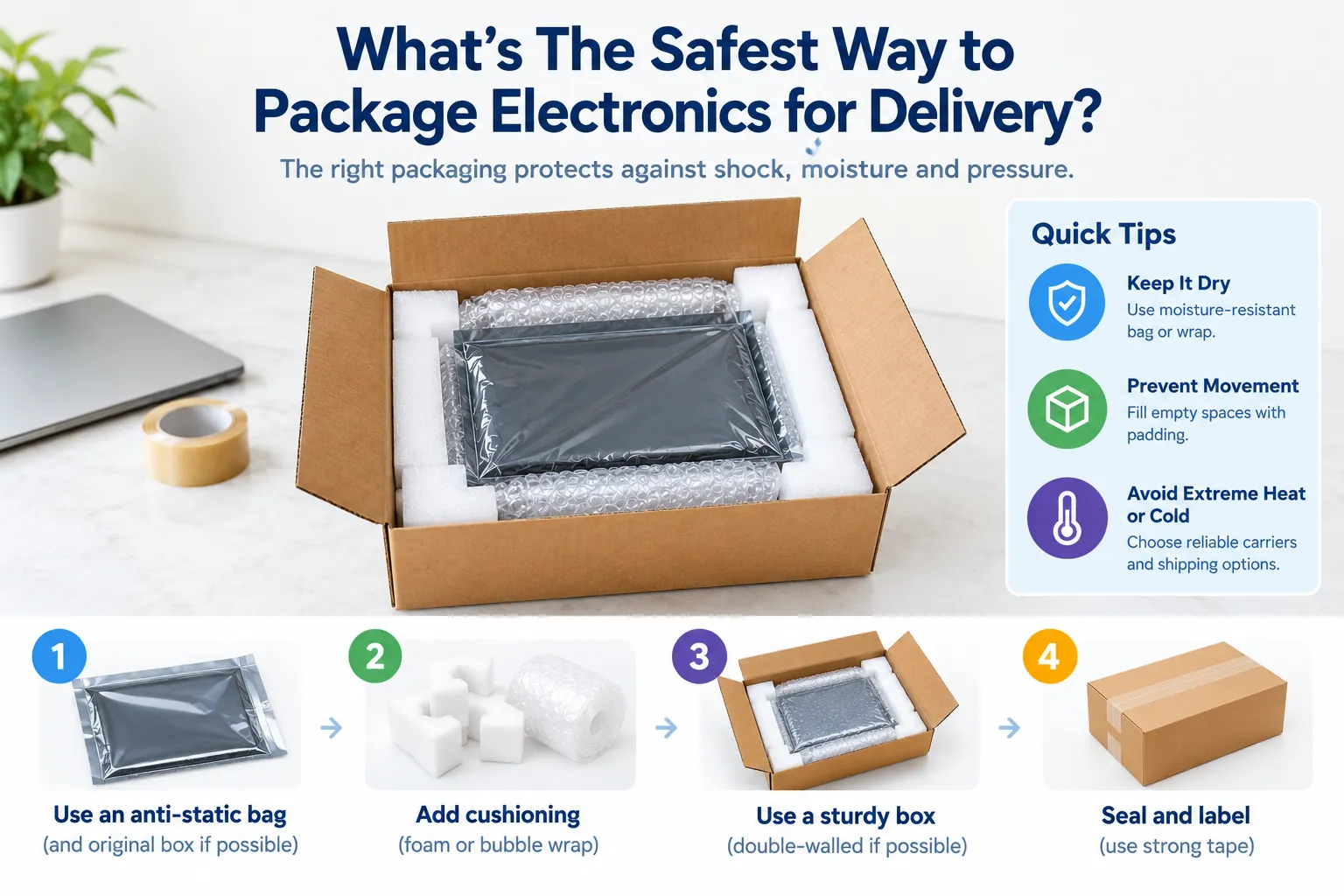
Sending electronics through a courier can feel a bit stressful. You might have packed the item perfectly, but once it leaves your hands, you have no idea how many times the parcel will be moved, stacked or bumped around. A laptop can handle everyday use, but that doesn't mean it will enjoy being thrown around inside a delivery van.
The good news? You don't need anything complicated to pack electronics safely. Make sure the item is protected from knocks, has no room to move around, and sits inside a box that can handle the journey.
Whether you're sending a laptop, monitor, printer, gaming console or smaller electronic equipment, these simple steps can make a big difference.
What Should You Do Before Packing the Device?
Before you start wrapping everything up, take a minute to prepare the device itself. This is easy to skip when you're in a hurry, but it's worth doing.
Get The Device Ready
• Switch it off completely before packing
• Remove anything detachable, such as memory cards or USB devices
• Secure batteries properly and check the carrier's rules if the item contains lithium batteries
If you're sending a laptop, for example, shut it down rather than simply closing the lid. Remove the charger and other loose accessories too.
Keep The Extras Under Control
• Wrap chargers and cables separately
• Put tiny accessories in a small bag so they don't disappear inside the box
• Keep heavier accessories away from delicate parts of the device
You don't want a charger bouncing around against a laptop screen for the entire journey.
Which Materials Should You Use for Electronics?
This is where good packing really starts to matter. Instead of relying on one material, use a few layers that work together.
Small Bubble Wrap
• Wrap the entire device, including its corners
• Add extra layers around screens and other delicate areas
• Make sure the wrapped item cannot touch the outer carton
Small bubble wrap works well for giving electronics a cushioned layer against everyday bumps. For sensitive electronic components, consider anti-static packaging because ordinary plastic cushioning can create static.
Strong Tape
• Use proper carton-sealing tape rather than ordinary household tape
• Cover the main box seams properly
• Press the tape down firmly around the edges
A simple H-tape seal is a good option. Tape across the centre seam and then along the two edges. It takes seconds and gives the box a much better seal.
Packaging Supplies
• Keep cushioning and void-fill material ready before you start
• Choose materials according to the size and weight of the device
• Don't leave large empty spaces inside the box
Good packaging supplies should work together, not be thrown into the box at random. The goal is simple: stop the electronics from moving.
Which Boxes Are Suitable for Electronics?
The box is basically the device's outer shield, so don't treat it as an afterthought. A weak or oversized carton can cause problems even when you've used plenty of cushioning.
Cardboard Storage Boxes
• Pick a strong box that suits the item's weight
• Make sure there is enough room for protective material
• Avoid cartons that are crushed, damp or already damaged
Cardboard storage boxes can work well when they're sturdy and correctly sized. For something valuable or particularly fragile, though, it can be worth going one step further.
Double-Wall Boxes
• Choose stronger corrugated construction for heavier equipment
• Cushion the bottom before putting the device inside
• Add protection around the sides and top as well
A large monitor, desktop computer or printer is a good example. These items are heavier, so extra strength can help when the parcel is handled repeatedly.
How Can You Pack Electronics Step by Step?
Now comes the part that actually gets the parcel ready for delivery. Don't rush this bit.
Wrap The Device Properly
• Wrap the device completely and protect exposed corners
• Put it into an inner box if you're using a double-box setup
• Add cushioning underneath as well as around the sides
Here's a simple test: gently move the wrapped item. If it slides around easily, it needs more protection.
Fill The Empty Space
• Place cushioning around every side of the product
• Fill gaps between the inner and outer box when double-boxing
• Add protection above the item before closing the lid
The idea is to stop the device from travelling around inside its own parcel. Even a small amount of movement can become a bigger problem when the box gets dropped or knocked.
Close And Check Everything
• Seal the box using the H-taping method
• Press down the tape properly along the seams
• Gently shake the finished parcel before handing it over
If you hear something moving, don't ignore it. Open the box and fix it. It's much better to spend another two minutes packing it properly than deal with a damaged electronic device later.
What Packing Mistakes Should You Avoid?
A few small mistakes can undo all the careful packing you've done.
Mistake : Using a box that's too big
What can happen: The device can move around
Mistake: Not cushioning the bottom
What can happen: Drops can cause direct impact
Mistake: Leaving accessories loose
What can happen: They can hit or scratch the device
Mistake: Using weak tape
What can happen: The box may open during transit
Mistake: Reusing a damaged carton
What can happen: The box may not provide enough support
The most common problem is probably space. If your device is rattling around inside the box, that's your sign to add more cushioning.
Conclusion: What's The Safest Way to Package Electronics?
No single packaging material will make electronics completely safe. The safest approach is to use several layers of protection. Wrap the device properly, cushion the corners, fill empty spaces, and put everything in a sturdy box.
For expensive or fragile equipment, double-boxing is a smart extra step. And before the parcel goes anywhere, give it a gentle shake. If nothing moves, you're already in a much better position.
Good packing doesn't have to be complicated. It just needs to be done properly.
FAQs
Can I use any box to ship electronics?
Not really. Choose a sturdy, clean box that fits the item's size and weight.
Is bubble wrap enough for electronics?
Bubble wrap helps, but combine it with void fill and a strong outer box for better protection.
Should I double-box a laptop?
For valuable laptops, double-boxing can provide an extra layer of protection during transit.
How do I stop electronics moving inside the box?
Fill the empty spaces with suitable cushioning until the device stays firmly in place.
How should I seal an electronics package?
Use strong carton tape and seal the main seams using the H-taping method.