Why Some Phone Problems Get Worse When You Keep Using the Device
By David Miller
69 Views
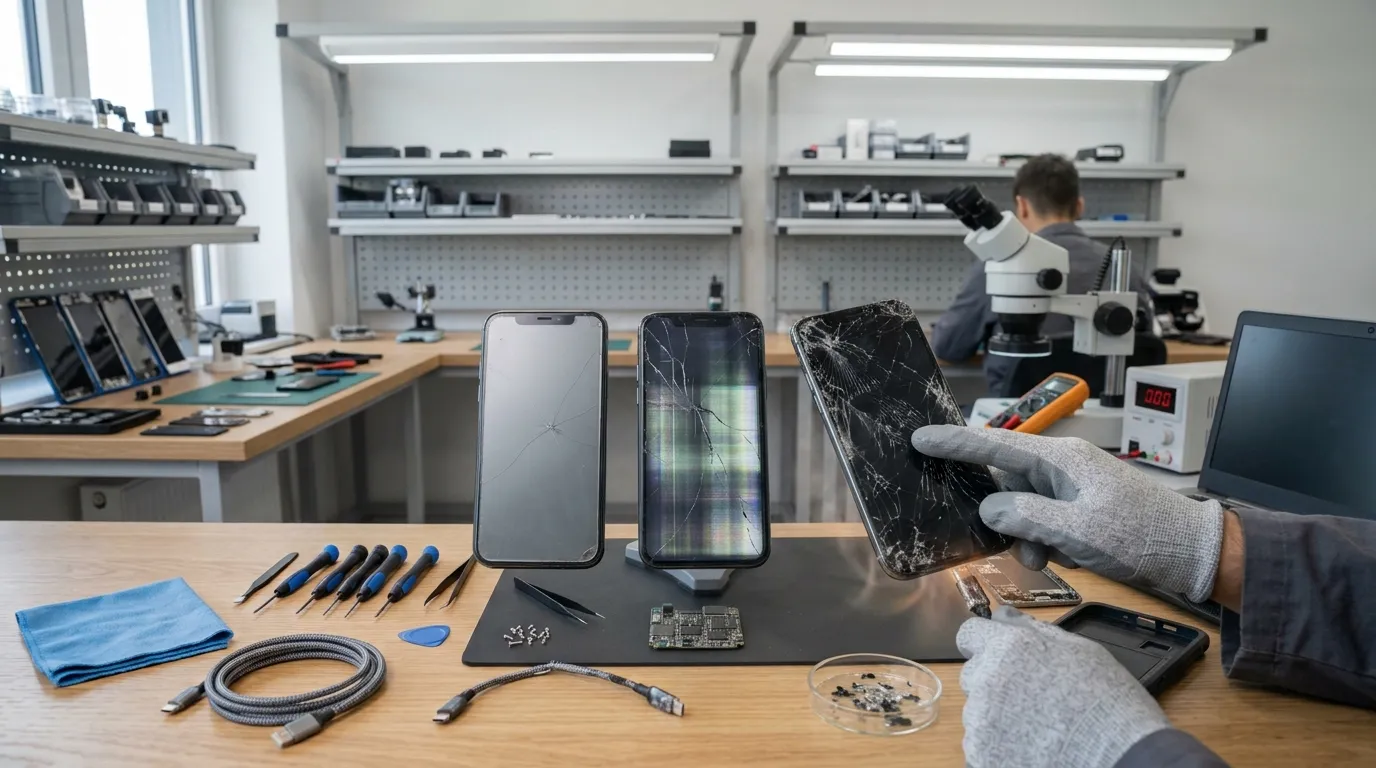
Smartphones are built for frequent use, but damage can change how safely they operate. A cracked screen, failing battery, or charging issue may seem manageable initially. However, continuing to use a damaged device can sometimes make the original problem more complicated. Small faults can affect nearby components, especially when heat, moisture, pressure, or electricity is involved.
Many people continue using their phones because the device still appears functional. Yet, working normally does not always mean the internal components are safe. For instance, a phone might remain operational after water exposure while corrosion develops internally. Likewise, a damaged charging port may continue working before eventually becoming unreliable.
When dealing with water damaged phone repair Edmonton, early assessment can be especially important because moisture may affect several internal components. Charging a wet connector can contribute to corrosion and permanent damage. Apple specifically warns against charging an iPhone while moisture is present in its connector. Therefore, continuing normal use after liquid exposure can increase the risk of additional problems.
Why Continuing to Use a Damaged Phone Can Be Risky
A smartphone contains many interconnected components. The display, battery, charging system, cameras, speakers, and circuit boards must work together.
When one component becomes damaged, it can affect how other parts function. Continued use can place additional stress on the affected area.
For example, a damaged charging port may require repeated cable movement. That movement can worsen physical damage to the connector.
Similarly, a cracked screen can allow additional debris or moisture to reach vulnerable areas. Therefore, addressing problems early can sometimes prevent more extensive damage.
Cracked Screens Can Become More Problematic
A small crack may initially seem like a cosmetic issue. However, cracked glass can become weaker after additional impacts.
Everyday pressure can cause existing cracks to spread. Putting the phone in a tight pocket can also place stress on damaged glass.
Touch functionality can also deteriorate. Some cracks may eventually affect touch sensitivity or create unresponsive areas.
There is also a safety concern. Sharp glass edges can cause cuts during normal handling.
Apple advises against using an iPhone with cracked glass because it can cause injury.
A protective case may reduce some risks, but it cannot repair an existing crack. If the screen continues deteriorating, professional assessment can determine the appropriate solution.
Water Damage Can Continue After the Phone Looks Dry
Liquid exposure is one of the clearest examples of damage that may worsen over time.
A phone can appear functional after getting wet. However, moisture can remain inside connectors or other internal areas.
Corrosion may develop after liquid reaches electrical contacts. The problem may therefore become more noticeable hours or days later.
Samsung explains that charging with moisture in the USB port can cause internal circuit damage. It also warns that moisture can contribute to corrosion.
Apple similarly warns that charging with a wet connector can corrode connector pins. Such corrosion can cause permanent damage or connectivity problems.
For this reason, do not assume that a phone is safe simply because its exterior looks dry.
Charging a Wet Device Can Increase Damage
Charging introduces electrical current into the device. Moisture around electrical contacts can create additional risks.
If liquid remains inside a charging port, connecting a cable can worsen corrosion. It can also damage the connector or related circuitry.
Modern phones may detect moisture and prevent charging automatically. This feature exists as a protective measure.
Samsung states that Galaxy devices can stop charging when moisture is detected. The company recommends allowing the device to dry completely first.
Apple provides similar guidance for iPhones with liquid detected in their connectors.
Therefore, do not repeatedly reconnect the charging cable to test whether charging has returned.
Battery Problems Can Become More Serious
Battery issues deserve particular attention because batteries store significant amounts of energy.
A battery naturally loses capacity with age. However, physical damage can create a different situation.
A swollen battery can push against the phone's display or rear panel. Continuing to use the device can place additional stress on surrounding components.
Apple advises discontinuing use when an iPhone or battery is suspected to be damaged. The company recommends battery service by trained technicians.
Samsung also advises checking phones for swelling or physical battery damage when troubleshooting charging problems.
Never puncture, squeeze, or attempt to flatten a swollen battery. Instead, stop using the device and seek appropriate professional assistance.
Excessive Heat Can Accelerate Problems
Heat can affect several parts of a smartphone. Batteries, processors, displays, and charging components can all be affected by excessive temperatures.
A damaged device may already generate more heat than normal. Continued heavy use can then place additional thermal stress on its components.
Gaming, video recording, navigation, and charging can naturally increase phone temperature. However, unusual heating during simple tasks deserves attention.
Avoid using a damaged phone in direct sunlight. Also, do not leave it inside a hot vehicle.
If the phone becomes unusually hot, stop demanding activities. Allow it to cool naturally in a safe environment.
Damaged Charging Ports Can Get Worse
Charging ports experience repeated mechanical stress. Every cable insertion places some pressure on the connector.
If the port is already loose or damaged, continued cable movement can worsen the problem.
A damaged port may initially charge when the cable is positioned at a certain angle. However, relying on that position can place additional stress on internal connections.
Avoid forcing the cable into the port. Also, do not use excessive pressure to maintain a connection.
Apple recommends checking charging cables and adapters for visible damage. It also advises against using damaged accessories.
If charging remains unreliable with suitable accessories, professional inspection may be appropriate.
Faulty Cables Can Create Additional Problems
Sometimes, the phone is not the original source of a charging problem.
A damaged cable can have broken insulation, bent connectors, or other physical defects. Continuing to use such an accessory can create unreliable charging behavior.
Apple warns against using damaged charging cables or adapters. It also recommends keeping charging equipment dry and properly ventilated.
Samsung likewise recommends checking the phone, charger, and USB cable for physical or liquid damage.
Therefore, inspect accessories when charging problems appear. Replacing a damaged cable may resolve a simple issue.
However, persistent charging problems should not automatically be blamed on accessories.
Physical Drops Can Cause Hidden Damage
A phone can suffer internal damage even when the exterior looks acceptable.
A significant impact can affect connectors, cameras, batteries, speakers, or circuit boards. Some problems may not appear immediately.
For example, a phone might work normally after a drop. Later, it may develop intermittent charging or unexpected shutdowns.
Repeated drops can increase the likelihood of additional damage. Therefore, unusual behavior after an impact should not be ignored.
If the device behaves differently after a major fall, document the symptoms. Then, consider having the phone inspected.
Buttons Can Transfer Stress to Internal Components
Physical buttons are connected to internal mechanisms. When a button becomes damaged, users may press it harder.
Repeated force can make the original problem worse. It may also damage surrounding components.
A stuck power button can create repeated restart or shutdown behavior. Similarly, a malfunctioning volume button can become increasingly difficult to operate.
Avoid forcing buttons that feel different. If a button became unreliable after a drop, mention that history during an inspection.
Speaker and Microphone Problems May Follow Liquid Exposure
Liquid exposure can affect openings around speakers and microphones.
A wet speaker may sound muffled temporarily. However, continued moisture can create more persistent problems.
Apple notes that water in the microphone or speaker can degrade performance until it evaporates.
Do not insert sharp objects into speaker openings. Avoid using excessive heat to accelerate drying.
If sound problems continue after the device has dried, further inspection may be appropriate.
Camera Problems Can Develop After Physical Damage
Cameras contain delicate components that can be affected by impacts.
A camera may begin producing blurry images after a drop. Autofocus or stabilization can also behave differently.
First, clean the external lens with a soft, lint-free cloth. This can eliminate fingerprints and surface debris as possible causes.
If the problem remains, the camera assembly may need inspection. Continuing to shake or strike the device will not solve the issue.
Software Symptoms Can Sometimes Hide Hardware Problems
Not every smartphone problem is physical. Software errors can cause freezing, restarting, battery drain, and slow performance.
However, hardware faults can produce similar symptoms. This overlap can make diagnosis difficult.
For example, unexpected shutdowns may result from software problems. They can also occur when a battery or internal component is failing.
Therefore, repeatedly resetting the phone without understanding the cause may not solve the underlying issue.
Keep track of when the problem occurs. This information can help distinguish patterns during professional diagnosis.
Repeated Restarts Can Increase Frustration and Risk
A phone that repeatedly restarts may be experiencing a boot loop. This can result from software errors, updates, incompatible applications, or hardware problems.
Repeatedly forcing the phone to restart may not address the underlying cause.
If the device becomes hot during these cycles, stop using it. Heat can add another layer of stress.
If important data remains accessible, create a backup when possible. Then, seek appropriate troubleshooting or professional assistance.
Ignoring Small Symptoms Can Make Diagnosis Harder
Small symptoms often provide useful clues. A slightly loose charging connection may indicate port damage.
A mild battery drain may provide an early warning of battery degradation. A faint screen line may indicate display damage.
When users ignore these signs, the symptoms can become more severe. Additional failures can then make diagnosis more complicated.
Therefore, pay attention to changes from normal behavior. A phone does not need to stop working completely before it deserves attention.
What You Should Do When Damage Occurs
The safest response depends on the type of damage.
If the phone is wet, disconnect cables and avoid charging it until it is completely dry. Apple recommends leaving a wet device in a dry area with airflow.
Do not use external heat to dry the device. Apple specifically advises against using external heat sources or compressed air.
If the battery appears swollen or physically damaged, stop using the device. Do not attempt to open or puncture the battery.
For a cracked screen, handle the phone carefully. Avoid pressing damaged glass or exposing it to additional impacts.
For charging problems, inspect the cable and adapter first. If the issue persists, professional inspection may identify the actual cause.
Why Early Professional Assessment Can Help
Professional assessment can help identify problems before they spread to additional components.
A technician can inspect physical damage and test relevant functions. Depending on the problem, they may also examine connectors, batteries, ports, and other components.
Early assessment does not guarantee a smaller repair. However, it can provide better information about the condition of the device.
It can also help users avoid unnecessary troubleshooting attempts. This is particularly useful when battery, liquid, or internal circuit problems are suspected.
When You Should Stop Using the Phone
Some symptoms should be treated more seriously than others.
Stop using the device if the battery appears swollen. Also, stop using it if it becomes extremely hot without an obvious reason.
Do not charge a phone when moisture is detected in the charging port. Samsung specifically recommends allowing moisture to dry before charging.
Likewise, avoid using a device with severe physical damage if internal components may be exposed.
If the phone has suffered significant liquid exposure, avoid repeated power-on attempts. Seek appropriate guidance instead.
Final Thoughts
Phone problems can become more complicated when damaged devices remain in regular use. Cracked screens can spread, charging ports can deteriorate, and liquid exposure can lead to corrosion.
Battery damage deserves particular caution. Swelling, unusual heat, and sudden performance changes should never be dismissed as ordinary aging.
Similarly, charging problems should be investigated rather than repeatedly worked around. A loose connection or moisture warning can indicate a deeper issue.
The best response depends on the type of damage. Simple software problems may only require basic troubleshooting. Physical, battery, charging, and liquid-related problems can require professional inspection.
Most importantly, stop using the phone when safety concerns appear. Avoid charging wet devices and never attempt to puncture or manipulate damaged batteries.
Recognizing warning signs early can help protect the device and its data. It can also prevent continued use from creating additional complications. When something seems different from normal, investigate the cause rather than simply working around the symptom